Raymarine RMK-10 remote keypad
The new Raymarine RMK-10 Remote Keypad is an ultra-compact, wired accessory that provides complete control of aSeries, cSeries, eSeries, eS Series and gS Series multifunction displays (MFDs) from any mounting position.
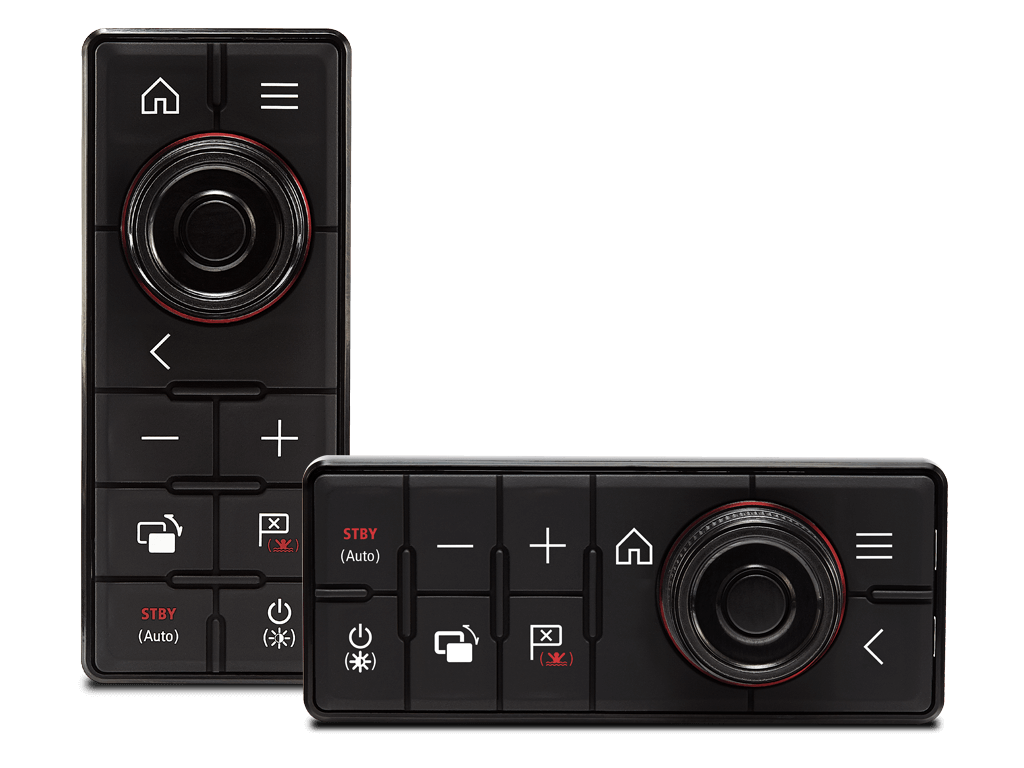
NEW RMK-10 remote keypad The fully backlit RMK-10 keypad includes dedicated keys for home screen, menu, zoom in and out, window control, waypoint management, power/brightness, as well as Evolution autopilot control.
The RMK-10 also offers the same multifunction rotary knob with integrated cursor available on the eS Series multifunction display
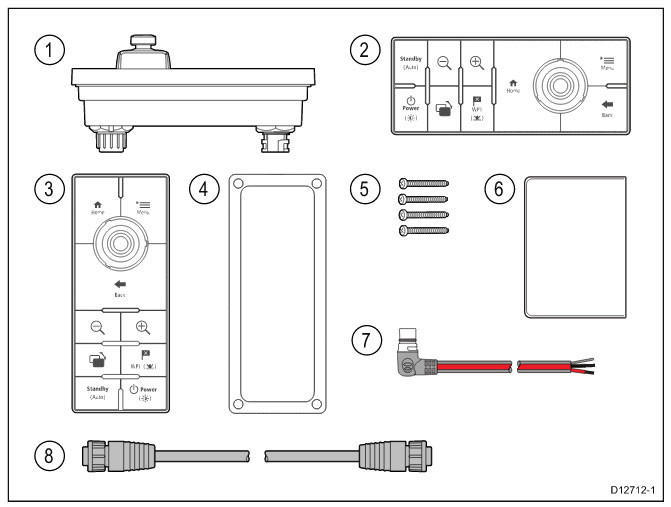
The RMK-10 can be surface- or flush-mounted and is available with faceplates for horizontal or vertical installation. This provides the flexibility to install the RMK-10 virtually anywhere.
RMK-10 mounting options
The RMK-10 is the ideal solution for controlling MFDs that are out of the way or in overhead control boxes. Instead of having to reach for the MFD, the RMK-10 puts the system controls closer to you.
For maximum convenience, mount the RMK-10 on the armrest of your favorite helm chair. Now it's easy to relax and enjoy the autopilot ride while still interacting with your navigation system.
The RMK-10 is also ideal

Extend remote system control to secondary monitors and onboard LCD TVs connected to the VGA or HDMI output of e-Series, eS-Series, and gS-Series displays. Now you can view and control your Raymarine navigation system from a navigation table, salon, or cabin below deck.
Using Raymarine's high-speed RayNet network, the RMK-10 can be configured to control a single multifunction display or multiple displays mounted in the same location. When controlling multiple displays at the same helm, the RMK-10 provides seamless control of all displays.
When used with aSeries or gS Series multi-touch displays, the RMK-10 adds full HybridTouch™ control capability to these products. The RMK-10 integrates seamlessly with the LightHouse II user interface and allows the navigation system to be operated exclusively by touch, keypad, or in between.